Records
Some regulations may require a style of delivery or a formal assessment of skills or a test. Some may be provided by EHS and some may be delivered by your supervisor.
How do I keep records?
Training records are the responsibility of each department to maintain.
Canvas
Canvas records should be kept via a download or printout of your grades. Canvas is not a permanent record storage location.
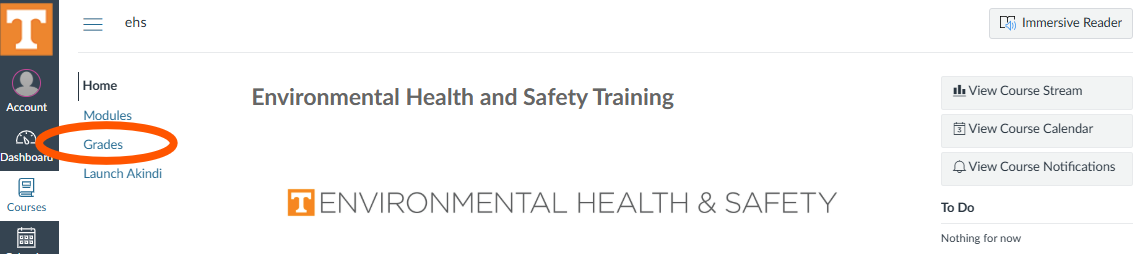
Canvas course page navigation menu with “Grades” option circled.
Canvas Catalog
Canvas Catalog courses generate certificates that can be downloaded or printed.
Option 1: Go to the Completed Courses tab. Navigate to the course and select “view” to verify and print your certificate. Select “download” to save or email your certificate.
Option 2: Select the PDF Transcript button to access all courses you have interacted with in Canvas Catalog. This produces PDF of all courses regardless of complete, not complete, or in progress status. From here, you may save, print, or download the document.
Please check with your supervisor or PI for their preference when sending training documentation.
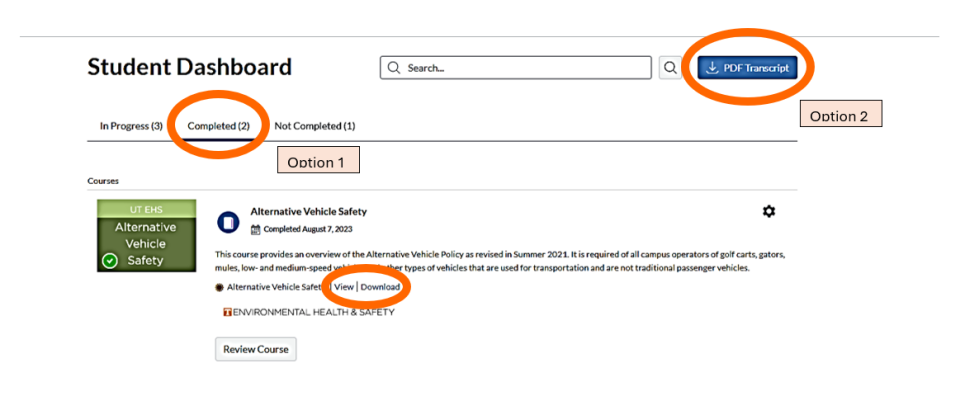
Canvas Catalog Student Dashboard course completion record access. From left to right: The completed tab, then view/download access certificates per option 1. The upper right circle shows the blue PDF Transcript per option 2.
K@TE
K@TE training is automatically recorded in DASH, but certificates and transcripts can be generated.
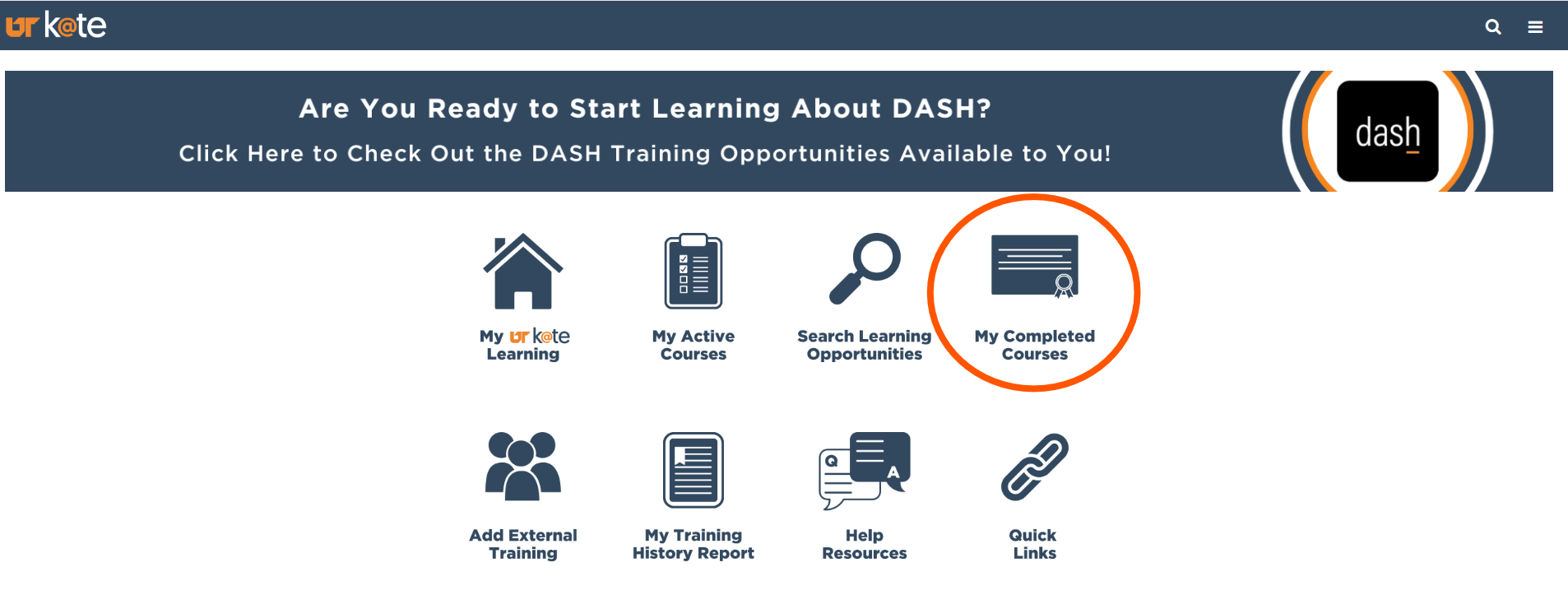
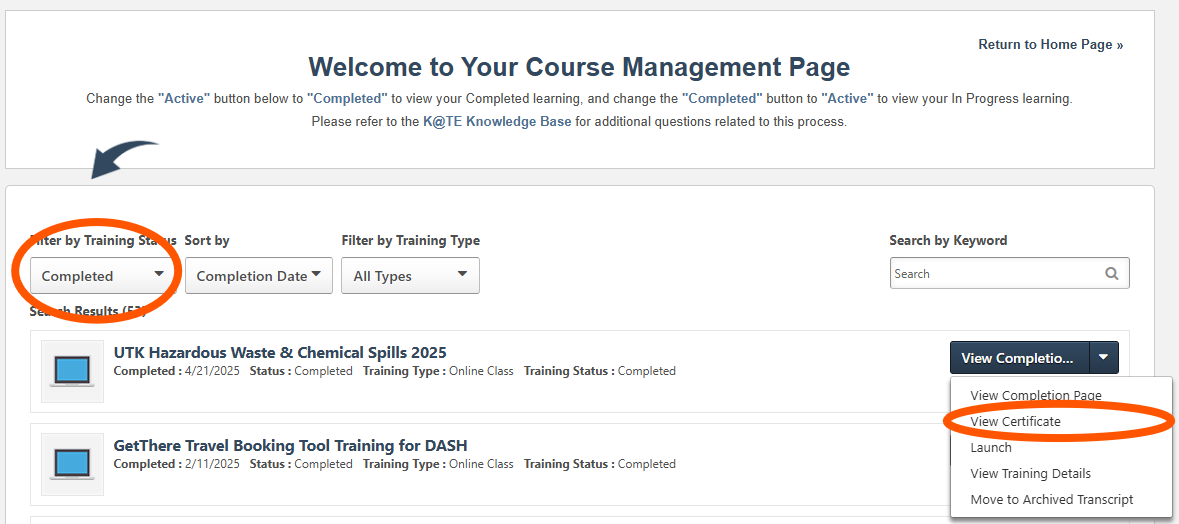
K@TE Home Page certificate icon in the upper right accesses the Course Management Page. From there, the left circle indicates where to filter for completed courses. The lower right circle indicates selecting the 2nd option for certificate access.